Best Profile Picture For Youtube Channel
Your YouTube profile picture is one of the most visible elements of your channel branding. It appears beside your videos, in search results, in comments, and across social media when viewers share your content. A strong profile picture helps establish credibility, makes your channel easier to recognize, and encourages viewers to trust your expertise. Whether you are a solo creator, a business, or a media organization, choosing the right image requires careful thought about clarity, consistency, and professional presentation.
Why Clarity and Consistency Matter for YouTube Profile Pictures
A YouTube profile picture is displayed at very small sizes, especially on mobile devices and in comment threads. For this reason, the best images avoid excessive detail, tiny text, and busy backgrounds. Instead, they use a clear focal point—often a face, a logo, or a simple symbol—that remains legible even when reduced to a few pixels. High contrast between the subject and the background is essential, as is a consistent colour palette that aligns with your channel banner, thumbnails, and website. When your profile picture matches your broader visual identity, viewers can identify your content quickly and remember your brand more easily.
Using Bold, Poster-Style Visuals to Stand Out

Creators who want to stand out in a crowded niche may benefit from a more graphic, poster-style approach. Bold shapes, strong colour blocking, and a single recognizable symbol can create a profile picture that is both modern and memorable. This style works particularly well for gaming channels, music channels, commentary channels, and brands that want to project energy and creativity. However, the design should still remain simple enough to be understood at a glance. A poster-inspired profile picture can include a stylized portrait, an emblem, or a monogram, provided that the most important element is centred and large enough to survive YouTube’s circular crop.
Technical Tips for a Professional YouTube Profile Picture
YouTube recommends uploading a profile picture that is at least 800 x 800 pixels, with a 1:1 aspect ratio. The image will be cropped into a circle, so keep critical details away from the corners. Use a PNG or JPG file for the best balance of quality and file size. Before uploading, test your image at small sizes to confirm that it remains clear on a phone screen. Avoid using low-resolution photos, cluttered collages, or images that contain too much text. If you use a face, ensure that it is well lit and that your expression matches the tone of your channel. For business channels, a professional headshot or a clean logo often performs best. For personal channels, a friendly and approachable photo can help build a stronger connection with your audience.
Common Mistakes to Avoid
One common mistake is changing your profile picture too often. Frequent changes can confuse returning viewers and weaken brand recognition. Another mistake is using an image that is too dark or too similar in colour to YouTube’s interface, which can make your profile picture blend into the background. Finally, avoid using copyrighted images or characters unless you have permission, as this can undermine your channel’s professionalism and create legal risks. Take the time to choose an image that reflects your channel’s purpose, and update it only when you have a strategic reason to do so.
Ultimately, the best profile picture for your YouTube channel is one that is clear, consistent, and authentic to your brand. It should look professional at a glance, work well at small sizes, and help viewers recognize you across the platform. By prioritizing simplicity, contrast, and strategic design, you can create a profile picture that supports your channel’s growth and leaves a lasting impression.
Category:Guardians Of The Galaxy (film) Poster 001.jpg/Homages | Marvel
_poster_001.jpg/revision/latest/scale-to-width-down/169?cb=20140516161438)
Category:Guardians of the Galaxy (film) poster 001.jpg/Homages | Marvel ...
1920s Movie Poster

1920s Movie Poster
Bloodborne Pathogens – PPE – Poster

Bloodborne Pathogens – PPE – Poster
'Niels Bohr The Inventors Series No 001' Poster, Picture, Metal Print

'Niels Bohr The Inventors Series No 001' Poster, picture, metal print ...
Betrieblicher Brandschutz: DGUV 205-001 Praxis-Leitfaden | Kuiper Safety
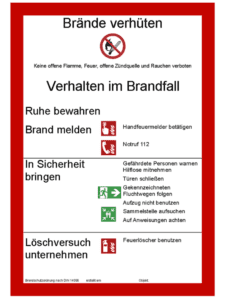
Betrieblicher Brandschutz: DGUV 205-001 Praxis-Leitfaden | Kuiper Safety
Procedimiento LOTO Secodisa - Procedimiento De Bloqueo Y Etiquetado
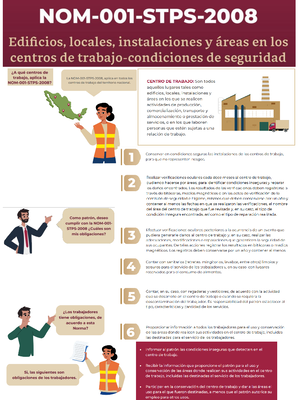
Procedimiento LOTO Secodisa - Procedimiento de Bloqueo y Etiquetado ...
Kujundus | Helen Tago

kujundus | Helen Tago